You have two minutes until the Metro arrives at Business Bay, and you need to know if your NOL card has enough credit. The last thing anyone wants is the red flash at the gate. In Dubai, seamless travel depends on knowing your balance before you tap. This guide gives you every official path to…
Updated June 2026: This guide has been refreshed with the latest RTA app methods, NFC tap instructions for Android and iPhone, and the current SMS shortcode. All methods confirmed working as of June 2026.
You have two minutes until the Metro arrives at Business Bay, and you need to know if your NOL card has enough credit. The last thing anyone wants is the red flash at the gate. In Dubai, seamless travel depends on knowing your balance before you tap. This guide gives you every official path to check your NOL card balance fast, top up smoothly, and avoid that dreaded gate refusal. You can check your NOL card balance instantly via the RTA website, NOL Pay app, or at any Metro station machine.
In This Article
- Understanding Your NOL Card: Your Gateway to Dubai’s Transport
- The Essential Guide to Checking Your NOL Card Balance in the UAE
- Mastering Your NOL Card: Essential Tips for UAE Residents
- Proactive NOL Card Management: Avoiding Common Travel Hassles
- NOL Card Tips Most People Miss
- NOL Card Tips for Dubai Visitors and Tourists
- Frequently Asked Questions About Your NOL Card
Understanding Your NOL Card: Your Gateway to Dubai’s Transport
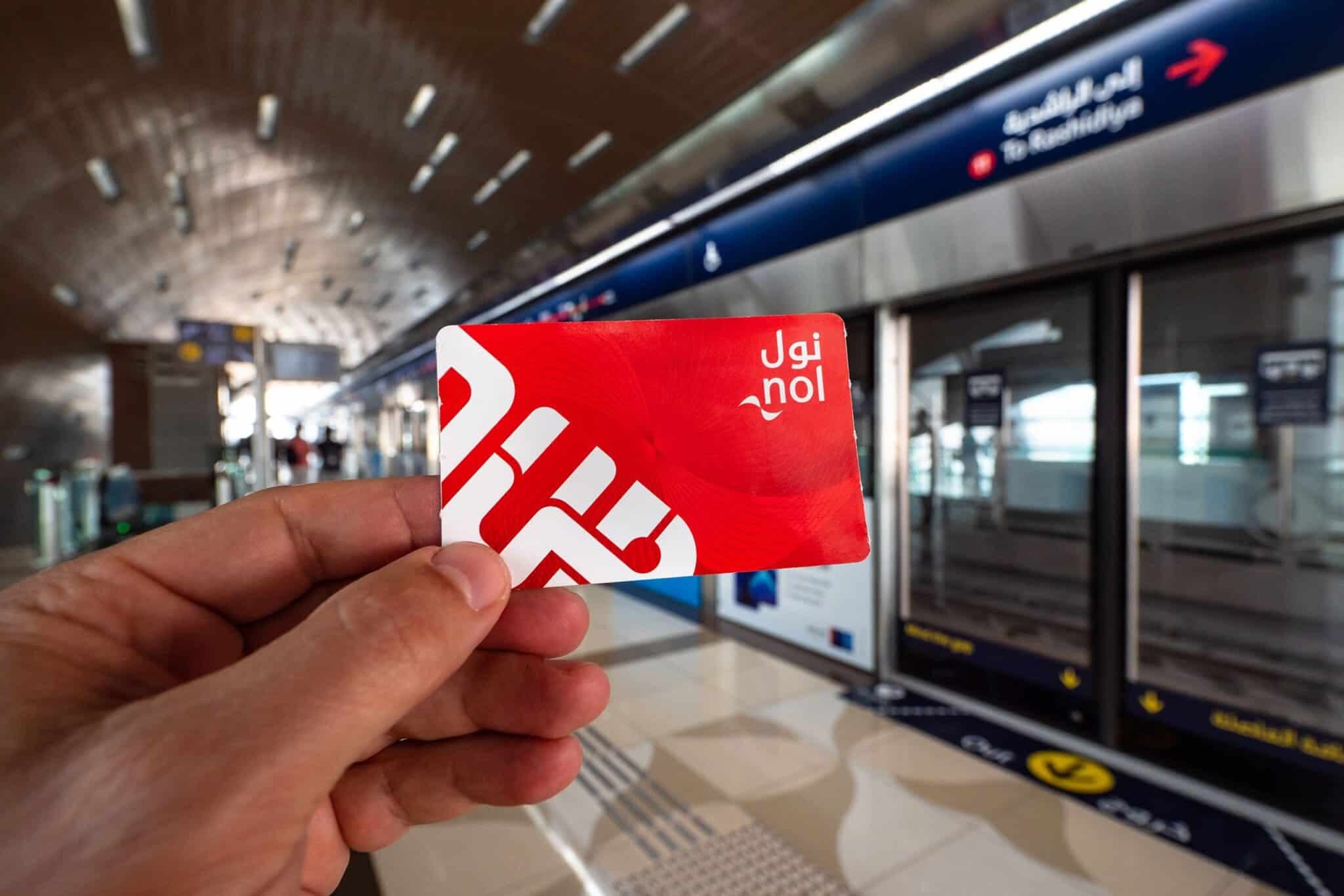
A NOL card is Dubai’s unified smart card issued by the Roads and Transport Authority (RTA), serving as the primary payment method for public transport. It provides access to the Metro, Tram, Buses, marine transport, and RTA paid parking zones across the emirate, simplifying travel for residents and visitors alike.
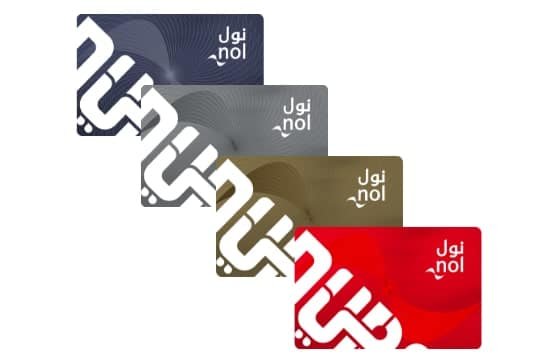
Types of NOL Cards: Red, Silver, Gold, and Blue
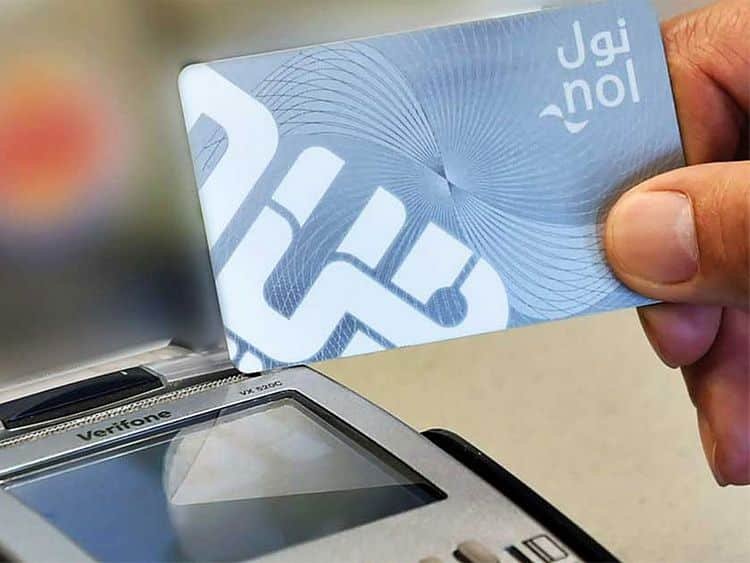
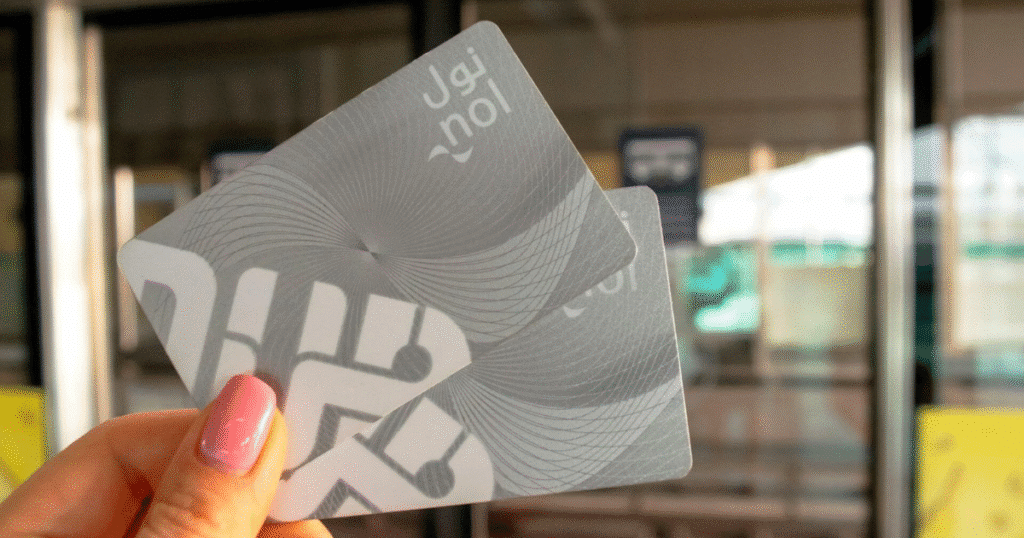
The RTA offers four main types of NOL cards, each designed for different user needs. The Red Ticket is a paper-based option, ideal for tourists or infrequent users, allowing up to 10 single journeys or 5 daily passes. The Silver Card is the most common choice for residents, offering standard fares and being fully reloadable. Gold Cards provide access to Gold Class cabins on the Metro and Tram at a higher fare. Finally, the Blue Card is a personalised, registered card that offers student or senior discounts and a higher wallet limit. Anonymous (Silver/Red) cards have a AED 1,000 wallet limit; registered Blue cards have an AED 5,000 limit.
Where Your NOL Card Takes You: Services Covered
Your NOL card serves as your universal payment method for a comprehensive range of RTA services across Dubai. This includes the Dubai Metro, the Dubai Tram along JBR, and the extensive network of RTA buses that cover every corner of the city. Marine transport options, such as the Water Bus and Water Taxi, also accept NOL cards. Even RTA paid parking zones across Dubai, from Deira to Dubai Marina, can be paid for using your card, saving you the hassle of carrying loose change.

The Essential Guide to Checking Your NOL Card Balance in the UAE
To check your NOL card balance in the UAE, you can use the official RTA website, the NOL Pay app with or without NFC, any Metro station’s ticket vending machine or smart kiosk, or contact RTA customer support via phone or chatbot. Each method provides real-time balance information, ensuring you are never caught off guard.
Online via the RTA Website
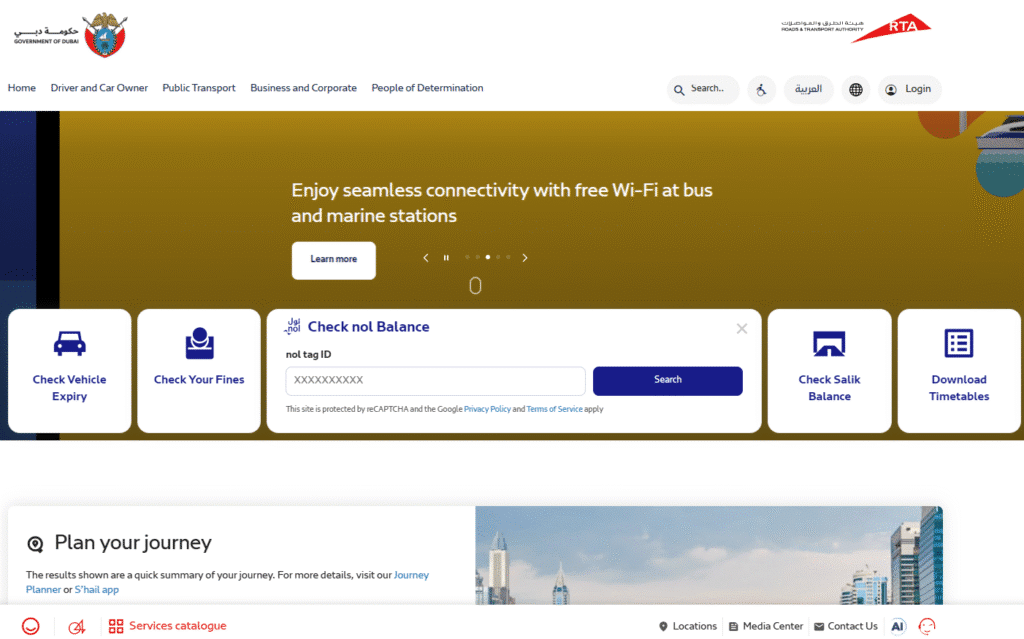
For a quick online balance check, head to the official RTA website. You will need your unique Tag ID, which is printed on the back of your physical NOL card. Simply navigate to the NOL card services section, input your Tag ID, and the website will display your current balance and any recent transaction history. This method is perfect for planning your travel budget from a desktop or laptop.
Instantly with the NOL Pay App (NFC & Manual)
The RTA NOL Pay app is your most convenient tool for managing your NOL card on the go. Download it for either iOS or Android. The RTA NOL Pay app works on both iPhone and Android — NFC balance reads work on both platforms, not just Android. Enable NFC on your phone, then hold your physical card against the NFC area on the back of your device. The app reads the card instantly, displaying your balance, transaction history, and options for topping up. If your phone lacks NFC or you prefer not to use it, you can also manually enter your card’s Tag ID for a balance enquiry.
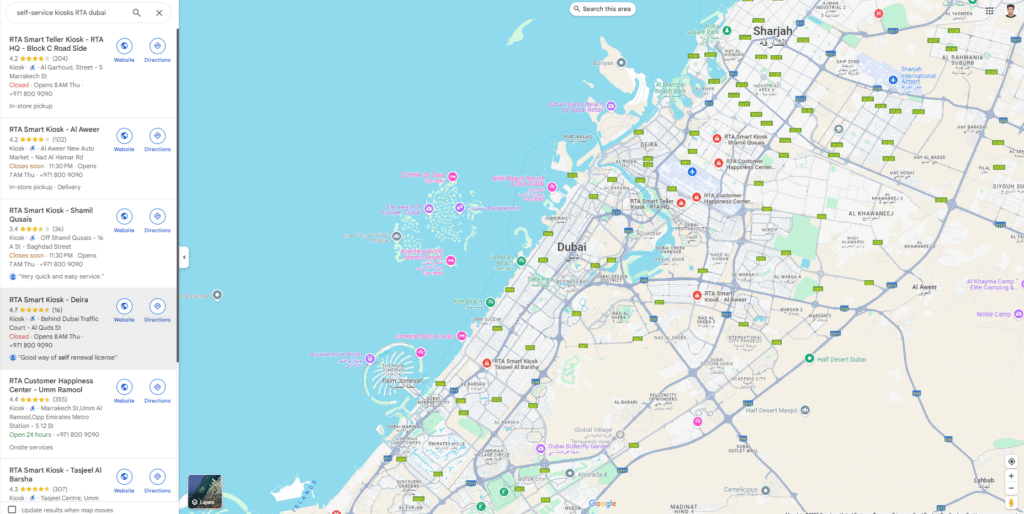
At Metro Stations and Smart Kiosks
Physical stations offer a straightforward way to check your balance. Any Metro station, such as those along Sheikh Zayed Road, has Ticket Vending Machines, Ticket Office Machines, or RTA Smart Kiosks. Just tap your NOL card on the designated reader, and your balance will appear on the screen. These machines also offer the option to print a receipt, which is handy for keeping track of your expenses or for official purposes.
Checking Your Balance via SMS
While less common, an SMS balance check offers an alternative when internet access is limited. To use this service, send an SMS containing your NOL card’s Tag ID to 5059. You will receive a reply SMS with your current balance. This method provides a quick, no-frills balance update, ensuring you are aware of your funds even without an app or web browser.
Direct Assistance: RTA Customer Support
For complex queries, unexplained discrepancies, or if you simply prefer speaking to a human, RTA Customer Support is available. Call their official helpline at 800 9090. Alternatively, you can use the Mahboub chatbot service on the RTA website. Make sure to have your NOL card’s Tag ID ready, along with any relevant transaction screenshots, to assist them in quickly resolving your query.
Mastering Your NOL Card: Essential Tips for UAE Residents
For UAE residents, mastering your NOL card involves activating pending top-ups by tapping at RTA points, understanding the AED 7.50 minimum balance and card wallet limits (AED 1,000 for anonymous, AED 5,000 for registered), registering your card for security, and knowing various local top-up locations beyond RTA kiosks. For more essential tips on living in the UAE, explore our dedicated guides.
Activating Pending Top-Ups: The Critical Step
This is where many residents get caught out. Top-ups made online or in-app appear as “pending” and must be activated by tapping the card at a Metro gate, smart parking metre, Solar Top-up Machine, or via the NFC reader in the NOL Pay app before the balance is usable. If you topped up your NOL card online from your apartment in Downtown Dubai, that credit is not immediately available until you perform this activation step. Always activate your top-up before attempting your first journey.
Understanding Minimum Balance and Wallet Limits
The RTA enforces a strict minimum balance: you need at least AED 7.50 on your card to enter any RTA gate. The gate will refuse entry below this regardless of pending balance. For instance, if you have AED 5.00 on your card and an AED 50.00 top-up pending, the gate will still deny access until the top-up is activated and your usable balance exceeds AED 7.50. Remember that anonymous (Silver/Red) cards have a wallet limit of AED 1,000, while registered Blue cards can hold up to AED 5,000.
Registering Your Anonymous NOL Card: Security and Recovery
Many residents use anonymous Silver NOL cards without realising the risks. Registering your anonymous Silver card via the NOL Pay app or RTA customer service links it to your identity. This critical step enables balance recovery in case your card is lost or stolen, preventing you from losing your funds. Without registration, a lost card means lost credit, a situation no one wants to face in a city where cash is rarely used for transport.
Where to Top Up Your NOL Card in the UAE
While Metro stations are the obvious choice, you have numerous other convenient options to recharge your NOL card across the UAE. Many du and Etisalat retailers offer top-up services, as do major supermarkets like Carrefour. You can also find NOL card top-up facilities at most Exchange houses, such as Al Ansari Exchange, making it easy to add credit when you are out and about, even far from a Metro station.
Proactive NOL Card Management: Avoiding Common Travel Hassles
Proactive NOL card management involves regularly reviewing transaction history for discrepancies, troubleshooting common issues like card reading failures by re-tapping or restarting the app, and avoiding mistakes such as relying on old balance screenshots or tapping with multiple cards simultaneously. Always activate online top-ups before travel.
Reviewing Your Transaction History
Regularly checking your NOL card’s recharge and trip history is a smart habit. You can do this via the NOL Pay app or the RTA website. Reviewing these records helps you identify any unusual deductions, duplicate taps, or unrecognised transactions. If you spot anything amiss, take a screenshot and note the exact time and date before contacting RTA Customer Support on 800 9090. This level of detail makes their job, and your resolution, much faster.
Troubleshooting Common Card Issues
If your NOL card is not reading at a gate or machine, try these quick fixes. Re-tap the card firmly on the reader. If using the NOL Pay app, force-quit and relaunch it. Some phone cases can interfere with NFC signals, so try removing your phone case if NFC fails consistently. If a specific RTA gate or machine shows an error, simply move to the next one; often, it is a localised issue, not a card problem.
Key Mistakes to Avoid for Seamless Travel
Do not rely on an old screenshot of your NOL card balance; always get a live read before you travel. When tapping, present only your NOL card to the reader. Tapping with other cards or your phone can cause read errors or even charge the wrong card. Crucially, if you have topped up online, ensure you activate that credit at a Metro gate or another activation point before attempting to board a bus or enter a Metro station. A pending top-up will not get you through.
NOL Card Tips Most People Miss
Beyond basic checks, advanced NOL card insights include understanding card validity periods and how to keep them active, utilising convenient Solar Top-up Machines found near bus stops, and knowing the full procedure for reporting and recovering funds from a lost or stolen card, especially if it’s registered. Your card might have a balance, but still be invalid for travel if expired or inactive.
NOL Card Validity: Keeping Your Card Active
Many users do not realise that NOL cards have a validity period. While Silver and Gold cards are generally valid for five years from issuance, Red Tickets have a shorter lifespan. It is crucial to be aware of your card’s expiry date. You can check this via the RTA website or at any Metro station machine. If your card is nearing expiry or has expired, you will need to replace it to ensure continuous service. A valid balance on an expired card is still unusable.
The Solar Top-up Machine: Your Emergency Recharge Point
Imagine you are far from a Metro station, your phone battery is dead, and your NOL card balance is low. This is where the lesser-known Solar Top-up Machines come in. These RTA machines, often found near bus stops and parking areas in residential zones and commercial districts like City Walk, are powered by solar energy and allow for quick cash top-ups. They are a lifesaver when traditional top-up points are out of reach or inconvenient, providing an emergency recharge option right when you need it.
What to Do If Your NOL Card is Lost or Stolen
Losing your NOL card can be stressful, but knowing the exact procedure minimises the impact. If your card is registered (a Blue card or a registered Silver/Gold card), immediately call the RTA helpline on 800 9090. They can block the card to prevent unauthorised use and, crucially, transfer any remaining balance to a new card. If your card was anonymous and unregistered, unfortunately, the funds cannot be recovered. This highlights why registering your card is a critical security measure.
NOL Card Tips for Dubai Visitors and Tourists
For Dubai visitors, the Red Ticket is ideal for short stays (up to 10 journeys or 5 daily passes), while a Silver card is more cost-effective for longer visits. Tourists can check their NOL card balance online via the RTA website or at any Metro station machine, ensuring seamless access to Dubai’s public transport.
Choosing the Right Card for Your Stay
For short visits of a few days, the Red Ticket is your most practical choice. It costs approximately AED 25 for the card itself, then you load it with credit for individual journeys or daily passes. However, if your stay is longer than a week or you plan extensive travel on public transport, upgrading to a Silver card (available from approximately AED 25 for the card with AED 19 initial credit) offers better value per journey and more flexibility.
Essential Balance Check Tips for Tourists
As a tourist, always check your NOL card balance before heading out, especially if you are exploring a new area like Al Fahidi Historical Neighbourhood or the Gold Souk. The simplest methods are the RTA website (using your card’s Tag ID) or any Metro station machine. Keep a mental note of your balance, and consider topping up at Metro stations or one of the many convenient top-up locations around Dubai Mall or Mall of the Emirates when it drops below AED 20 to avoid any last-minute delays.
Frequently Asked Questions About Your NOL Card
How can I quickly check my NOL card balance in Dubai?
The quickest methods are using the RTA NOL Pay app with NFC by tapping your card, or visiting the official RTA website and entering your card’s Tag ID. Both provide instant, real-time balance updates from anywhere with an internet connection. This is ideal for quick checks on the go.
Why does my online top-up not show on my NOL card?
Online or in-app top-ups are “pending” until activated. You must tap your card at a Metro gate, smart parking metre, Solar Top-up Machine, or use the NOL Pay app’s NFC reader for the balance to become usable on your card. This activation is a crucial step for the funds to reflect.
What is the minimum balance required to use my NOL card?
You need a minimum balance of AED 7.50 on your NOL card to enter any RTA public transport gate, such as those at Burj Khalifa/Dubai Mall Metro Station. If your balance is below this, even with a pending top-up, the gate will refuse entry.
What are the wallet limits for different NOL card types?
Anonymous cards (Red and Silver) have a maximum wallet limit of AED 1,000. Registered Blue cards, on the other hand, can hold a significantly higher balance of up to AED 5,000, offering more flexibility and security for frequent commuters.
Can I recover funds if my anonymous NOL card is lost?
Unfortunately, no. If an anonymous (unregistered) NOL card is lost, the RTA cannot track it or transfer the balance. This is why registering your card, especially for residents, is strongly recommended for security and fund recovery.
Where can I top up my NOL card besides Metro stations?
You can conveniently top up your NOL card at various locations across the UAE, including most du and Etisalat service centres, major supermarkets like Carrefour and Lulu Hypermarket, and numerous exchange houses such as Al Ansari Exchange. These provide easy access to recharge services city-wide.
Conclusion
Most people only think about their NOL card balance when they’re already at the gate. Build the habit of checking before you leave, activate top-ups as soon as you load them, and register your card if you haven’t already — losing an anonymous card means losing every dirham on it. The RTA has made this genuinely easy across the app, the website, and every station in the city. Use whichever method fits the moment.
| Method | Pros | Cons | Best For |
|---|---|---|---|
| RTA Website | Accessible anywhere, no app needed, desktop-friendly | Requires manual Tag ID input, no NFC | Pre-journey checks from home or office |
| nol Pay App (with NFC) | Instant read, top-ups, transaction history, multiple cards | Requires NFC-enabled smartphone, internet access | On-the-go checks, frequent users |
| Station Machines/Kiosks | No phone/internet needed, prints receipts, physical verification | Requires presence at a physical location, queues possible | Low battery, no data, expense claims |
| RTA Customer Support | Human assistance for complex issues, error resolution | Can involve waiting times, requires ID details | Unexplained discrepancies, lost cards |