
Check a Dubai rent increase using the official DLD calculator, understand the 90-day notice qualification and follow a worked annual-rent calculation.
Use Dubai Land Department’s rental calculator to check a proposed renewal increase—but check the notice and your contract too. An index result is an important benchmark, not a legal judgment on every part of a tenancy dispute. The practical job is to establish the correct property details, save the dated result, compare the proposed amount and identify any issue that needs the Rental Disputes Center (RDC). This guide covers Dubai, not a UAE-wide rent cap.
Dealing with an Abu Dhabi renewal? Start with our Abu Dhabi rent-renewal guide for the ADREC announcement, registered-lease comparisons and jurisdiction checks. Do not use a Dubai index result as the rent rule for a different emirate.
What Is the RERA Rent Calculator?
The RERA Rent Calculator (also called the Rental Index Calculator) is an official tool published by the Dubai Land Department (DLD). It is used to determine the maximum legally permissible rent increase for a property in Dubai, based on how the current rent compares to the prevailing market rate for similar properties in the same area.
“RERA” stands for the Real Estate Regulatory Agency — the arm of the Dubai Land Department responsible for regulating the rental market.
The calculator is not a suggestion. In Dubai, rent increases are capped by law under Decree No. 43 of 2013, and the RERA index is the reference point for enforcing those caps.
The Official Tool
The RERA Rent Calculator is available at: dubailand.gov.ae/en/eservices/rental-index/rental-index/
You can also access it through the Dubai REST app (available on iOS and Android), which is the DLD’s official mobile application. There is no charge to use it.
The Smart Rental Index (2025 Onward)
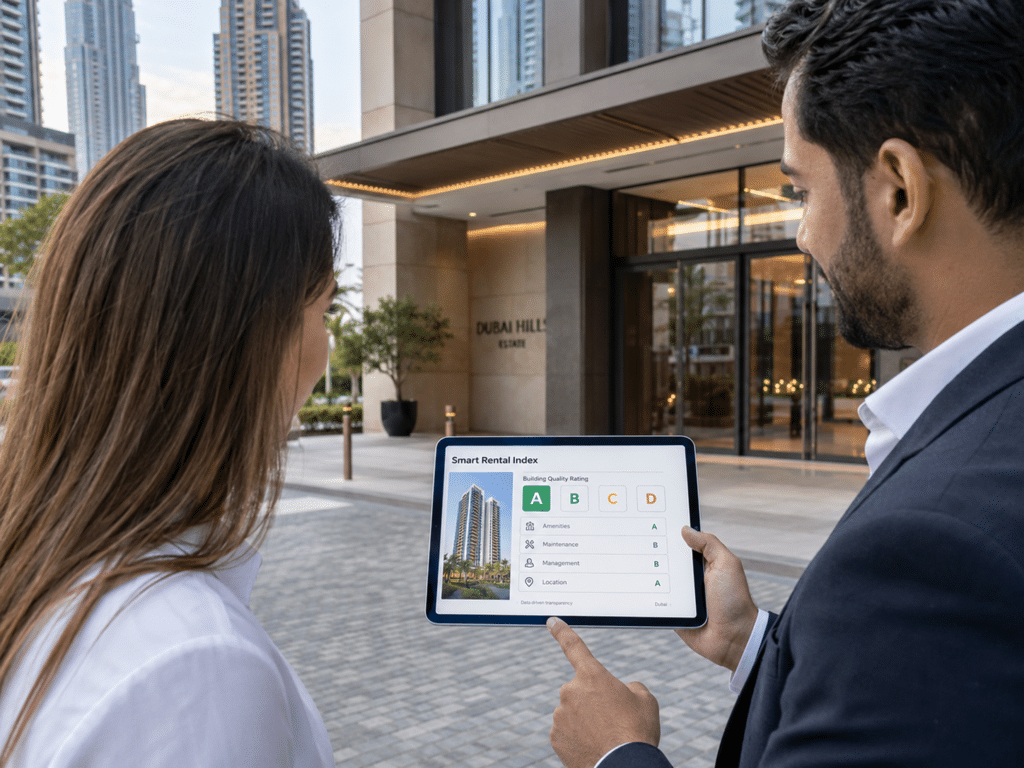
DLD introduced the Smart Rental Index in 2025. Its launch explanation describes a building-classification approach considering technical condition, finishes, maintenance, location and services. Do not assign your own A–D grade or infer a rent cap from a building’s appearance: use the official service’s current result.
The benchmark is more specific than a casual comparison with asking rents on a property portal. DLD’s explanation of the index identifies building rental-contract values, area averages and classification as relevant inputs. An advertised neighbour’s rent is not by itself the official result for your renewal.

How to Use the RERA Rent Calculator
Step 1: Go to dubailand.gov.ae or open the Dubai REST app.
Step 2: On the official page, choose the relevant tab: Residential, Commercial, Industrial, Industrial Lands or Staff Accommodation. These instructions describe the Residential form observed on 28 October 2026; another tab may ask different questions.
Step 3: Set the Contract End Date to your actual expiry date and select the Property Type. Do not leave the displayed date unchanged without checking it. Under Search Index by, the observed form offers DEWA (Premise No.), Ejari Contract Number or Area. Choose the route matching the records you have and complete the fields it displays; do not guess an identifier or assume a neighbouring property has the same details.
Step 4: Enter the current annual rent in AED where requested, keeping it separate from an individual rent cheque. Review the property, search route and expiry date, then use Calculate. Complete any verification the service presents yourself. We inspected the form and search options without submitting a tenancy, personal identifier or CAPTCHA; no individual result is claimed here.
Step 5: The tool returns the RERA Rental Index value for comparable properties in your area, and the maximum permissible rent increase based on the gap between your current rent and the index.
Save the dated result together with the inputs and search route you used. If a result appears surprising, check the identifier, property type, contract end date and annual rent before repeating the enquiry. An empty result or a data-entry error is not, by itself, proof that an increase is permitted or prohibited.
Rent Increase Caps: The Legal Rules
The maximum allowable rent increase in Dubai is governed by Decree No. 43 of 2013. The caps are based on how much your current rent sits below the RERA Rental Index:
| Gap Between Current Rent and RERA Index | Maximum Allowed Increase |
|---|---|
| Within the no-increase band shown by the official calculator | 0% — no increase permitted |
| 11% – 20% below index | Maximum 5% |
| 21% – 30% below index | Maximum 10% |
| 31% – 40% below index | Maximum 15% |
| More than 40% below index | Maximum 20% |
The absolute cap is 20% regardless of how far below market your rent sits. A landlord cannot legally increase rent by more than 20% at any single renewal.
Notice Requirements
Article 14 of the tenancy law, as amended by Law No. 33 of 2008, sets a notice period of at least 90 days before expiry for proposed changes, unless the parties agreed otherwise. That qualification matters: inspect the signed contract and the actual communication before treating “90 days” as the whole answer. A notice issue and the permitted increase are separate questions.
If the timing appears inconsistent with the applicable agreement and law, keep the dated notice and seek clarification promptly. Do not simply stop paying rent or assume a guide has determined the legal outcome. If unresolved, use RDC’s advice or dispute process for the actual contract and facts.
What This Means in Practice
If you are a tenant, save the calculator result for the correct property and renewal date, then compare the landlord’s proposed rent against it. Reply in writing with the relevant result and your notice/contract concerns. A clear record gives the discussion something concrete to address; it does not guarantee that the landlord will agree or that every dispute will settle without proceedings.
If you are a landlord, check the current official benchmark, the proposed renewal amount and the notice clause before sending a demand. Do not assume a signed figure removes every statutory constraint, or that an online guide can decide enforceability. A dispute over the property details, result or agreement may need an RDC determination.
How to Dispute an Illegal Rent Increase
If your landlord insists on an above-cap increase and you cannot resolve it directly, the dispute goes to the Rental Dispute Settlement Centre (RDSC) — a judicial body within the Dubai Land Department.
What you need to file a case: your Ejari certificate (registered tenancy contract), a copy of the landlord’s increase notice, the RERA calculator result showing the legal maximum, your Emirates ID and any relevant correspondence.
The RDC first-instance rental-lawsuit service lists 3.5% of annual rent or lease value for specified claim types, with a minimum AED 500 and maximum AED 20,000. Monetary claims use a different basis and AED 15,000 cap. The page also lists process-service, knowledge, innovation and conditional representative/trustee charges. Confirm the correct claim type and final total; a headline percentage is not an all-in quotation.
Use RDC’s official service channel and the instructions for your type of claim. Keep the tenancy agreement/Ejari, the proposed increase, dated communications, official index result and identification ready as requested. The appropriate procedure and timing depend on the dispute; this guide does not promise a quick decision or an outcome without a hearing.
Common Situations
My rent is already above the RERA index. Can my landlord still increase it?
If your current rent equals or exceeds the RERA index, no increase is legally permissible at renewal. The calculator will confirm this.
My building is newly rated under the Smart Rental Index. Does that change my rent cap?
The Smart Rental Index is what RERA uses as the reference value. If your building’s rating has changed the benchmark, the calculator will reflect this. The same caps (0–20%) still apply based on the gap between your current rent and the new benchmark.

FAQ
Is the RERA Rent Calculator the same as the Smart Rental Index?
The rental calculator is the official enquiry route; the Smart Rental Index is the updated valuation framework introduced in 2025. Use the live DLD result and correct property inputs rather than an unofficial A–D grading shortcut.
Can I use the RERA calculator for a villa or townhouse?
Yes. The calculator supports multiple property types, including apartments, studios, villas, and townhouses. Select the appropriate type when entering your details.
Can a landlord increase rent mid-tenancy?
No. Rent can only be changed at renewal — not during an active contract period. Any mid-tenancy increase in demand is illegal under Dubai law.
Where is the official RERA Rent Calculator?
At dubailand.gov.ae/en/eservices/rental-index/rental-index/ and in the Dubai REST mobile app.
Keep a renewal evidence pack
- Comparable figures: save the existing annual rent, proposed annual rent and the dated official index result; do not compare one cheque with a full year.
- Timing: keep the contract expiry, proposed-change notice and the signed notice clause together. The index calculation does not decide a separate notice dispute.
- Property match: retain which search route and property details produced the result, so a discrepancy can be explained rather than guessed.
- Correspondence: keep the written proposal and response. If unresolved, use the linked RDC service to check the appropriate procedure; this checklist does not itself file a case or determine the outcome.
Worked renewal example: calculate the uplift on the right number
Suppose the official result puts a property’s benchmark at AED 100,000 and its existing annual rent is AED 75,000. The shortfall is AED 25,000, or 25% of the AED 100,000 benchmark. If the applicable result places that renewal in the 10% increase band, the increase is calculated on the current rent: 10% × AED 75,000 = AED 7,500, giving AED 82,500. It is not a licence to jump straight to AED 100,000.
| Number | Illustrative calculation | Do not confuse it with |
|---|---|---|
| Benchmark gap | (100,000 − 75,000) ÷ 100,000 = 25% | The percentage increase applied to the existing rent |
| Permitted uplift, if the result says 10% | 75,000 × 10% = AED 7,500 | 10% of the benchmark |
| New annual rent in this example | 75,000 + 7,500 = AED 82,500 | A decision that notice and all other legal conditions are satisfied |
These are hypothetical figures explaining the arithmetic, not a substitute for entering your own renewal details. Ask for the calculation in annual rent terms before comparing cheque amounts. Different payment schedules, concessions or other charges can obscure whether two quoted amounts describe the same thing.
Reviewed on 18 October 2026 against the linked DLD explanations and amended notice provision. This is general information, not legal advice on an individual tenancy. The original office images are illustrative, not evidence of an actual RDC hearing or a verified screenshot of the live calculator.